Rewrite your listings on the page you're already on
Select a title, bullet or description on any Amazon or Etsy product page. The CB button turns it into three versions you can paste straight back — no prompt writing, no tab switching.
3 free rewrites a day · No account needed · Works on amazon.com / .co.jp / Etsy
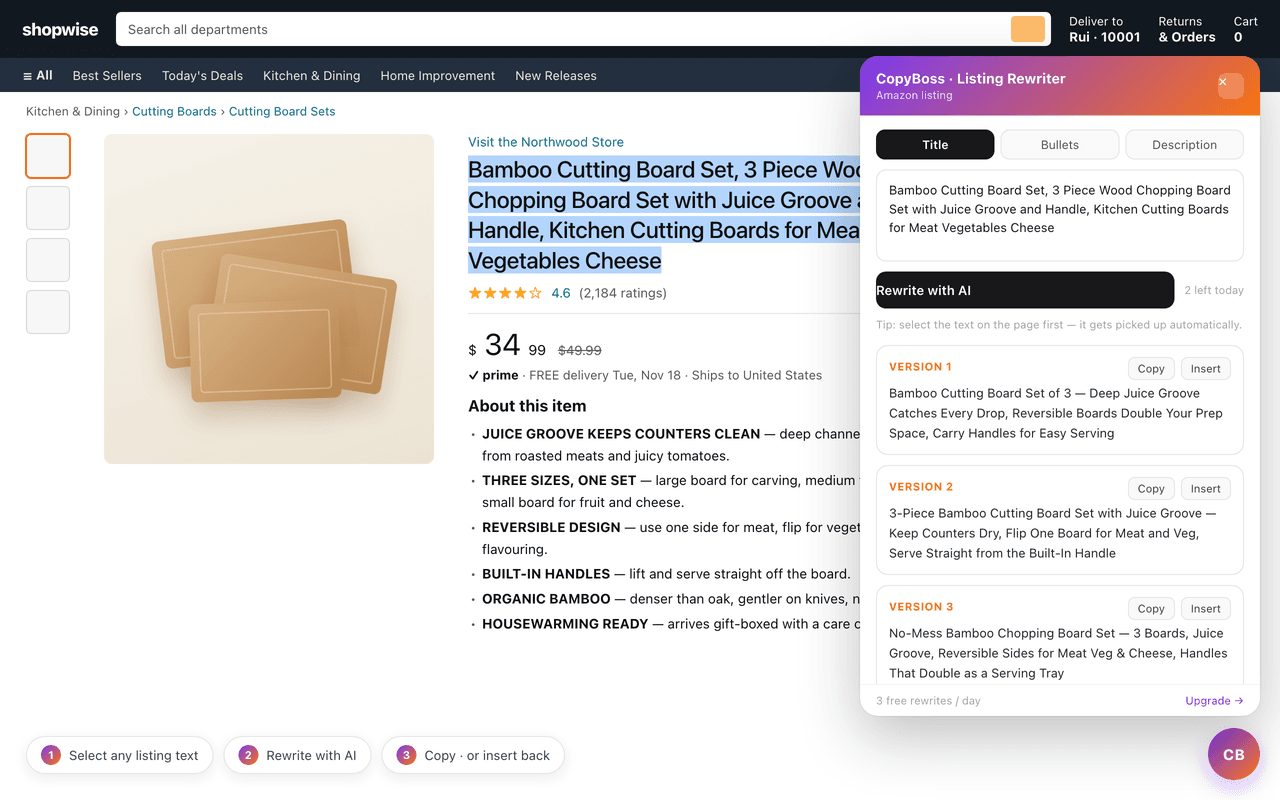
Real panel, real output: three title variants with the keyword kept in front and the character limit respected.
What it rewrites
Title
Keyword-first, under the 200-character cap, no promo words that platforms filter out.
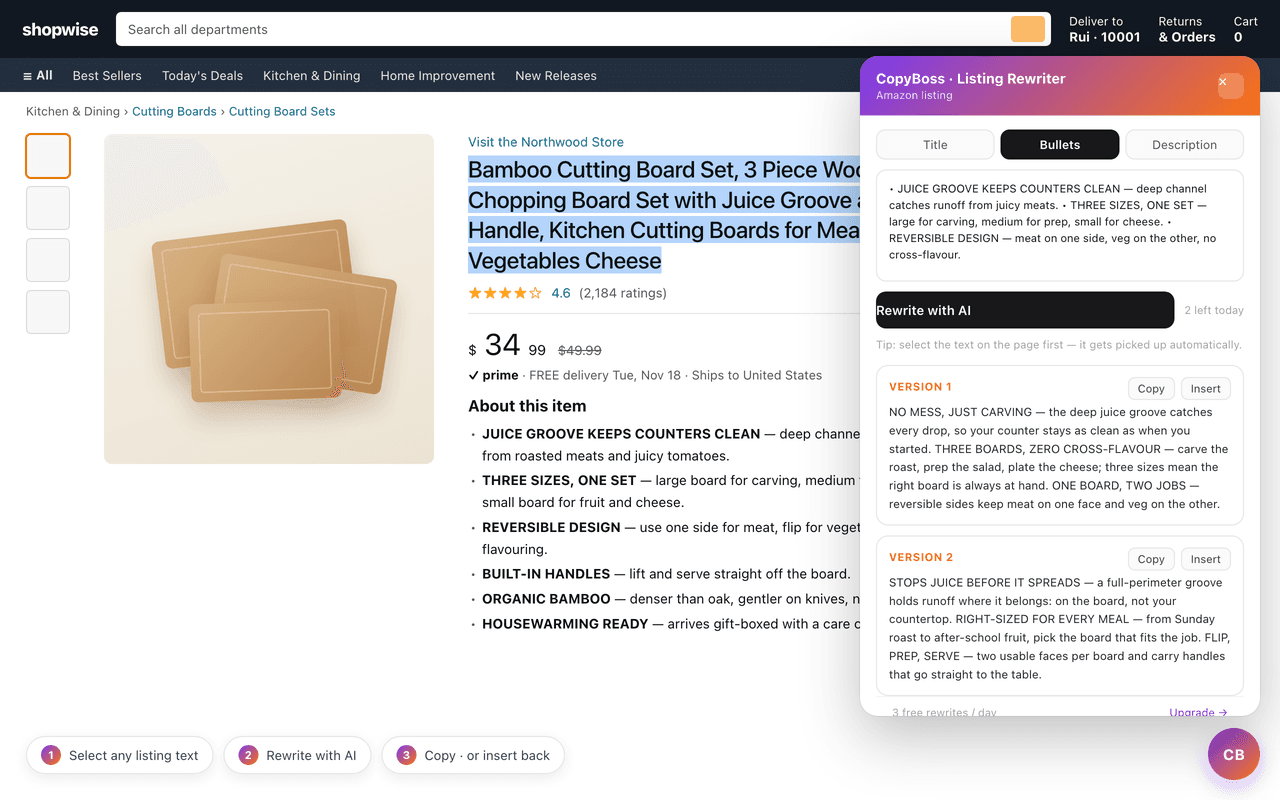
Bullets
Five benefits-led lines, each opening with the outcome instead of the spec.
Description
120–180 words that read like a person wrote them, not a spec sheet.
Install in 4 steps (about a minute)
Until the store listing goes live, Chrome installs extensions from a folder. It looks technical, but it is four clicks.
- 1
Download the zip
Click the download button below. You get a small .zip file — nothing to install yet.
- 2
Unzip it, then open chrome://extensions
Unzip the file anywhere (Desktop is fine). In Chrome, paste chrome://extensions into the address bar and press Enter.
- 3
Turn on Developer mode, load the folder
Toggle “Developer mode” in the top-right corner. Then click “Load unpacked” and pick the unzipped folder (the one containing manifest.json).
- 4
Open any Amazon or Etsy product page
An orange CB button appears in the bottom-right corner. Select a title or bullet, click it, hit “Rewrite with AI”.
Stuck on step 3? Make sure you pick the folder that contains manifest.json, not its parent and not the icons subfolder.
FAQ
Is it really free?
Yes — 3 rewrites per day, no account, no card. Paid plans only exist if you need more volume.
Why does Chrome warn me about this extension?
Because it isn't listed in the Chrome Web Store yet — Chrome shows that warning for every locally loaded extension. The store submission is in review; this page is the early-access path.
Does it work on Etsy and Amazon?
Both. Amazon US/UK/JP and Etsy listing pages are supported. It reads the text you select, so any product page where you can highlight text works.
Do you store what I paste in?
The selected text is sent to our API to be rewritten, then returned. We don't publish it, sell it, or train on it. Usage is capped per IP per day to prevent abuse.
Will it insert text back into the page?
Yes — “Insert” writes the rewritten version straight into the field you came from. “Copy” puts it on your clipboard so you can paste it wherever you like.
Stop rewriting listings by hand
One click per field. Three versions each. Keep the one that reads like a buyer wrote it.
Download the extension →Problems installing? Email hi@mtboss.cn and we'll walk you through it.